Tolgee Figma Plugin
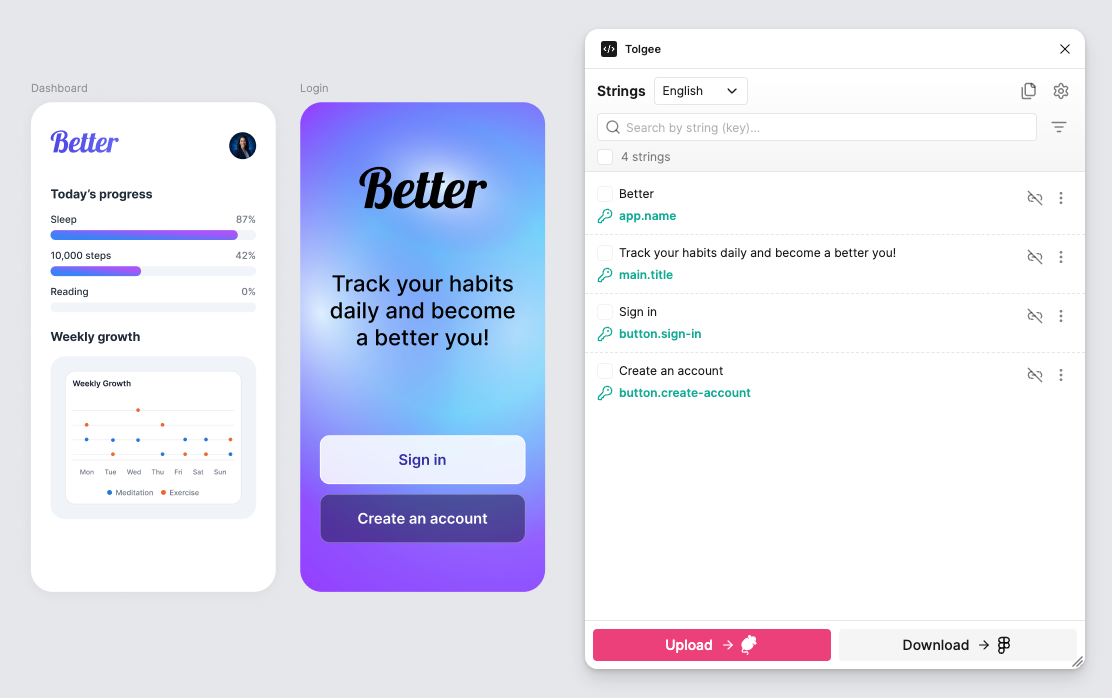
Designers write the words, developers retype them in code, and translators meet them as a list of strings with no pictures attached. The Tolgee Figma plugin closes that gap: it connects each text layer in your design to a translation key in Tolgee, so the design file and the translation platform describe the same strings. It is free, and works with Tolgee Cloud as well as self-hosted instances.
What It Gives You
- Any language on the canvas. Switch a screen to German or Japanese and catch the layout breaking in Figma, not after release
- Context for translators. Uploading a key sends a screenshot with it, so nobody translates a button label blind
- One source of truth. Designers name and upload the strings, translators work on the platform, developers read key names in Dev Mode, and nothing is retyped along the way
- Variables, plurals and formatting survive the round trip, and the canvas still shows a realistic rendering
How It Works
- Select frames or text layers, and the plugin lists the strings it finds
- Name the keys, let the plugin generate names from your layer structure, or connect the texts to keys that already exist in Tolgee
Uploadsends them to Tolgee, with screenshots attached- Translators do their work on the platform
Downloadbrings the finished translations back onto the canvas
Steps 3 and 5 are the loop you repeat. The rest is setup you do once.
Where to Go Next
- Setup and Settings installs the plugin and connects it to your project
- Usage Guide covers the everyday work
- Bulk Operations does the same actions on a whole selection
- Page Copies puts each language on its own page
- Formatting and Variables explains plurals, variables and inline formatting