Community Profile
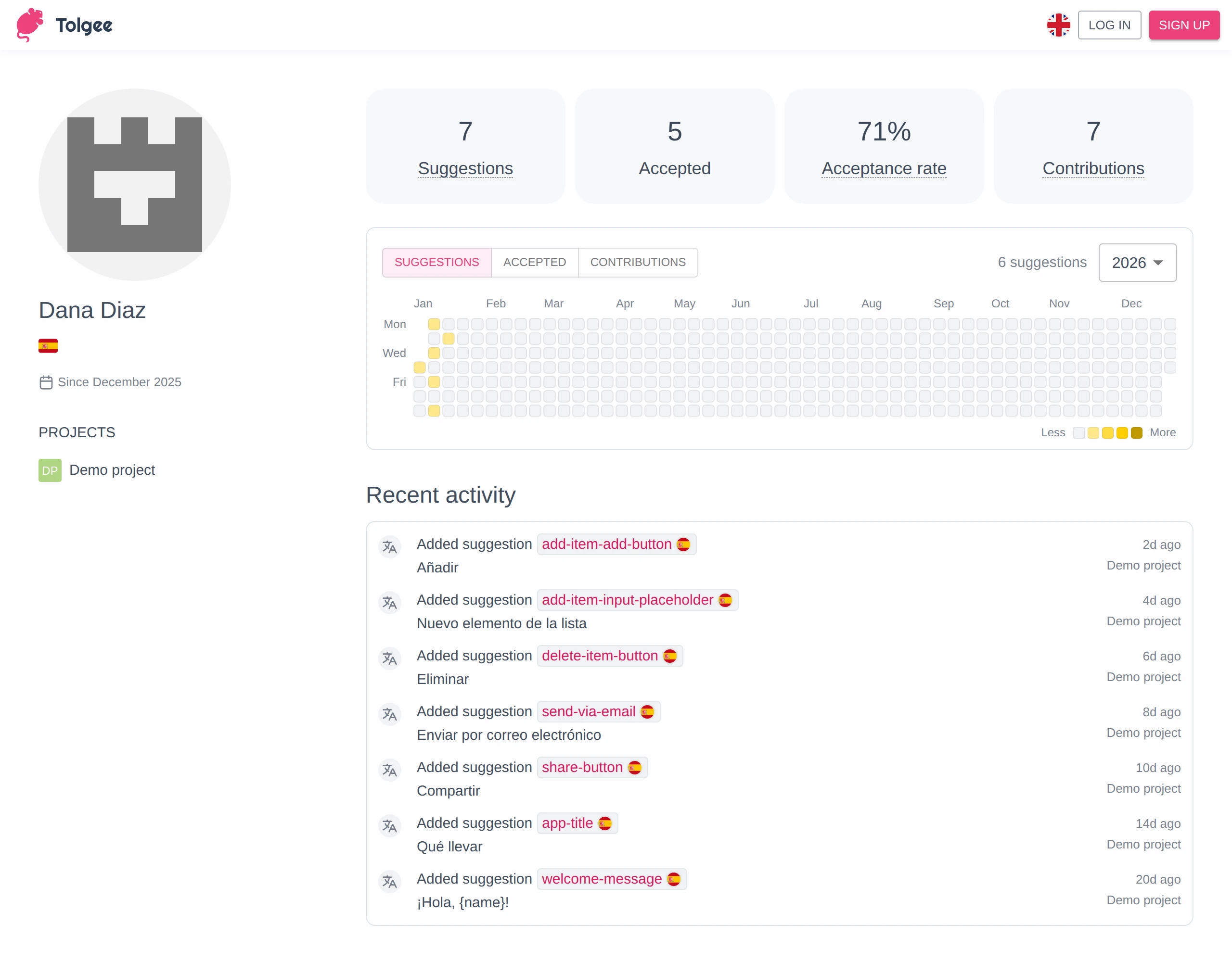
A community profile is a public page in Tolgee that shows the work one user has done in community projects. It lets contributors show their translation work. It also tells project owners who is behind a suggestion. Tolgee builds the profile from the user's suggestions, translations, reviews and comments. The profile becomes public with the first contribution. Its owner can hide it at any time.
On a self-hosted instance, community profiles need Tolgee v3.244.0 or newer.
What Does a Community Profile Show?
A community profile sums up what a person has done in community projects: the projects they helped, how many of their suggestions were accepted, and their recent activity. Work done there as a team member counts too. When an owner closes a project, its work leaves the profile.
Where Do I Find a Community Profile?
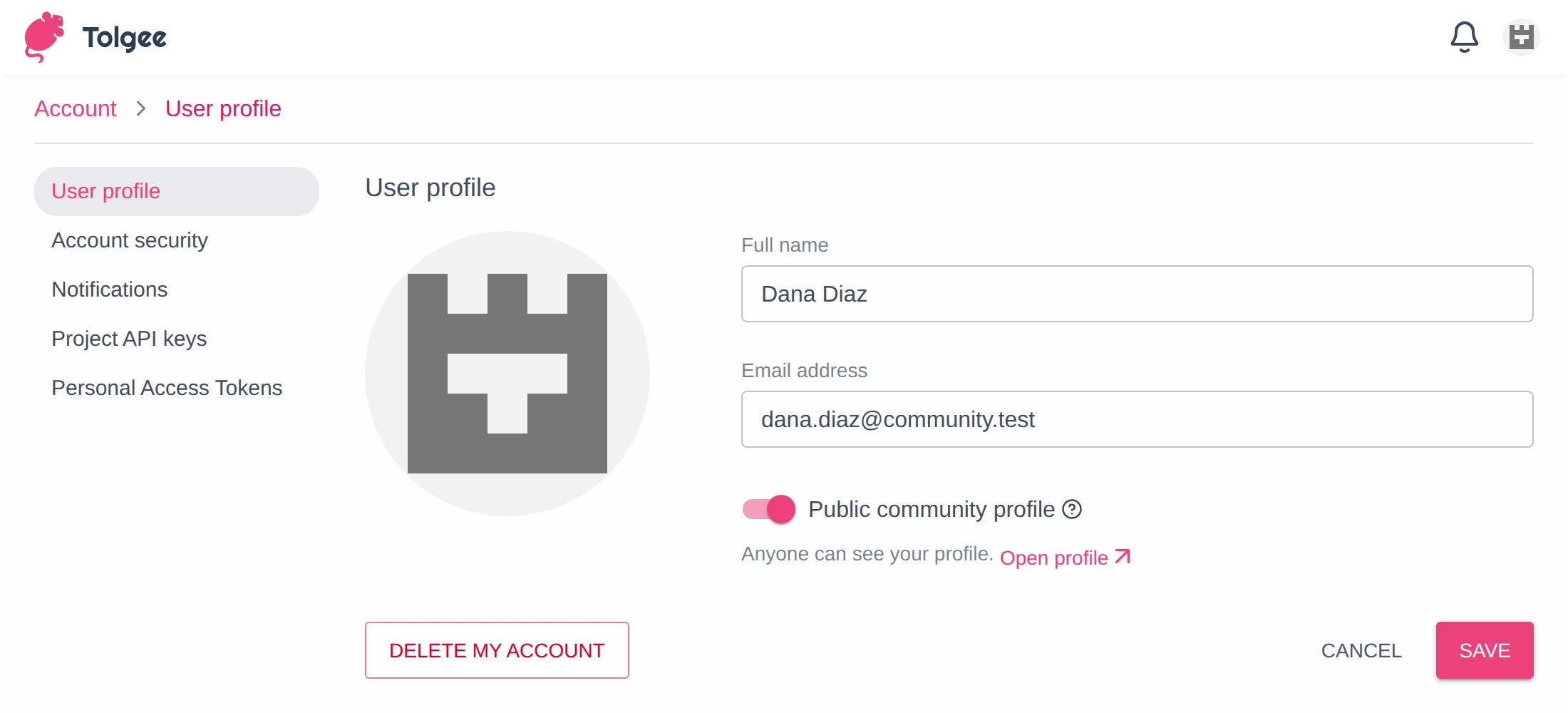
To open your own profile, click Open profile next to the Public community profile switch in
your account settings. Tolgee links to the profile of a contributor from the places that show
their name in a community project.
Who Can See a Community Profile?
Anyone can open a public profile, with or without a Tolgee account.
Hiding the profile hides only the profile page. Your name still appears next to your suggestions and comments and on the contributors page of the project.
Hiding or Showing Your Community Profile
Hide your community profile when you do not want other people to see a summary of your work across projects.
- Click your avatar in the top right corner and choose
Account settings. - Turn the
Public community profileswitch off to hide the profile, or on to show it. - Click
Save.
FAQ
How Do I Make My Profile Private?
Go to Account settings, turn off the Public community profile switch, and click Save.
Your profile page is then hidden, but your name still appears next to your suggestions and
comments. See Hiding or Showing Your Community Profile.